NewComing soon to iPhone and Android
Stream mobile games to YouTube from your phone
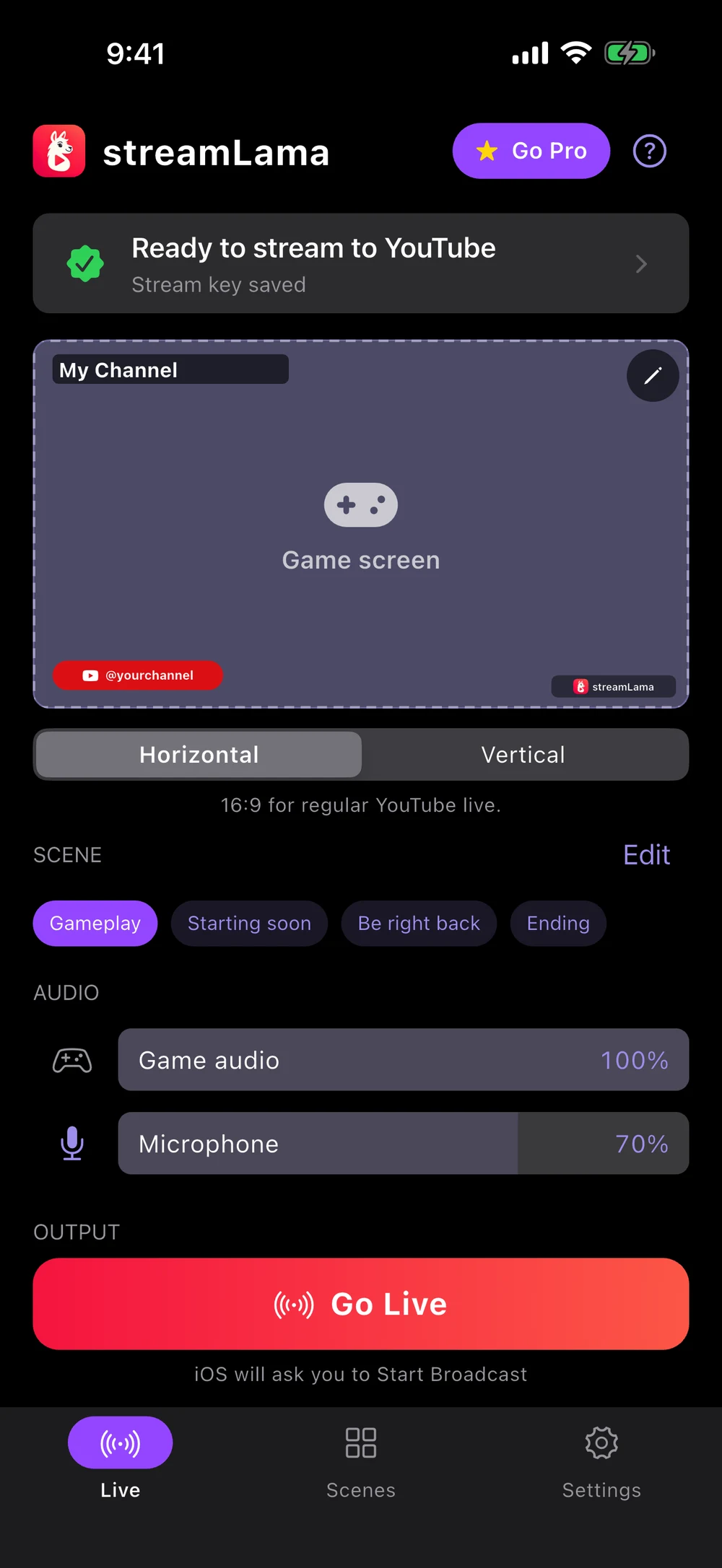
streamLama sends your phone screen, game sound and voice straight to your YouTube channel. Paste your stream key, drag your layout into place and go live in landscape or vertical. No PC, no capture card, no account needed.
- App StoreComing soon for iPhone and iPad
- Google PlayComing soon for Android
What is streamLama?
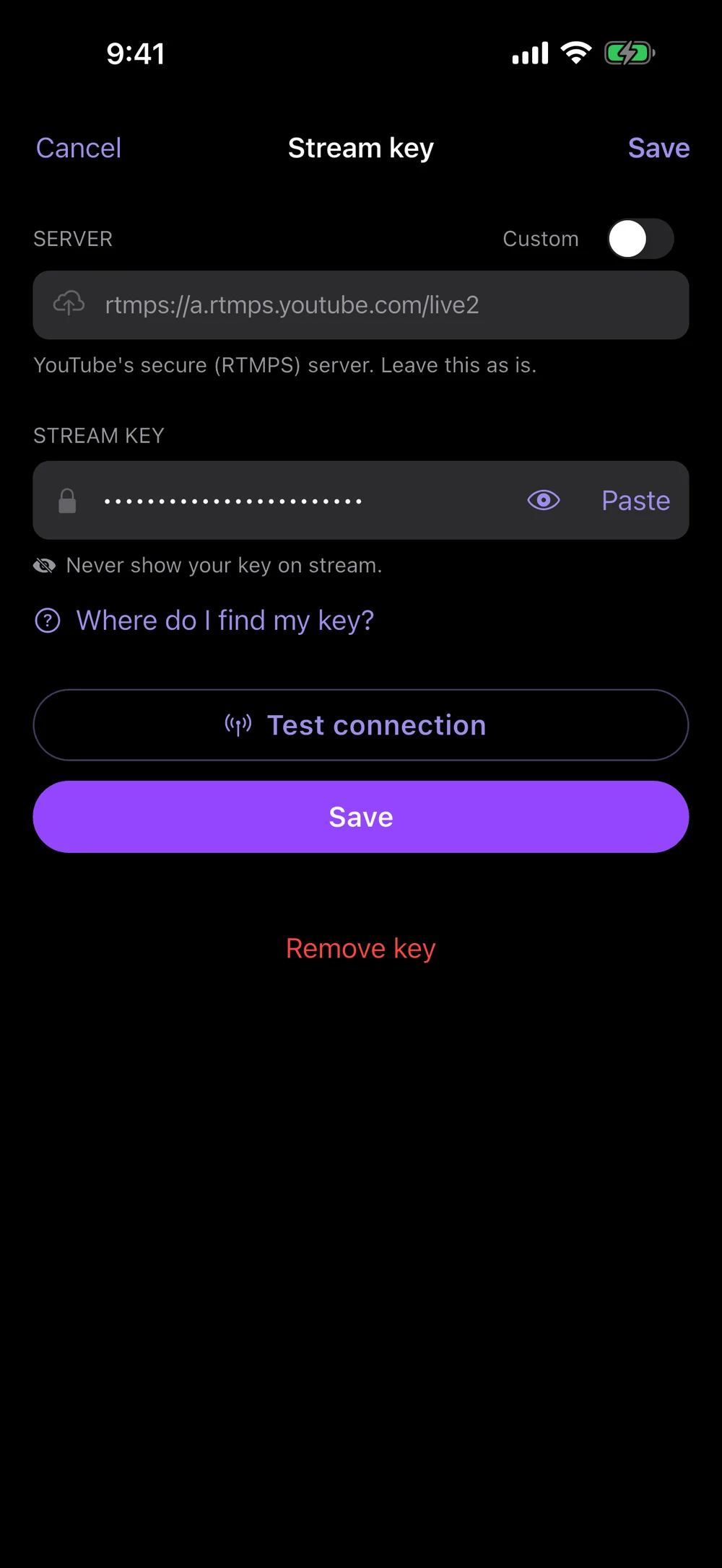
streamLama is a free iPhone and Android app that live streams your phone screen to YouTube. It captures whatever you play, puts it inside a stream layout you design with your fingers, and sends the finished video to YouTube over a secure RTMPS connection. You connect it to your channel with a YouTube stream key, so you never sign in to YouTube in the app, and a streamLama account is optional. Your key stays on your phone.
How it works in 3 steps
Setup takes a few minutes. The slowest part is YouTube turning on live streaming for a channel that has never streamed, which can take up to 24 hours the first time.
- 1
Copy your YouTube stream key
Open YouTube Studio, choose Create, then Go live, and copy the key from the Stream tab. Our step-by-step stream key guide shows exactly where to tap on a phone.
- 2
Design your scene
Start from a ready-made scene like Gameplay or Starting soon, then drag elements around the canvas. Make a horizontal and a vertical version in the same scene.
- 3
Go live
Choose landscape or vertical, tap Go Live and confirm the screen broadcast. Open your game and play. Switch scenes or adjust volumes whenever you like.
Drag your stream layout into place
Place your gameplay, a LIVE badge, your channel name, social handles, icons and your own images. Drag to move, pinch handles to resize, rotate with a slider. What you see in the editor is exactly what viewers see.
- Gameplay videomove, resize, fit or fill, or hide it for intermission scenes
- Textchannel name, schedule or goal, in your size and color
- Imagesa logo, a frame or any picture from your library
- Social badgesa platform icon plus your handle
- Iconsany icon in any color
- LIVE badgea red pill that says you are live now
New installs start with four scenes you can edit: Gameplay, Starting soon, Be right back and Ending. Switching scenes while you are live updates the stream within a moment. Undo, redo and autosave cover every change.
See all streamLama features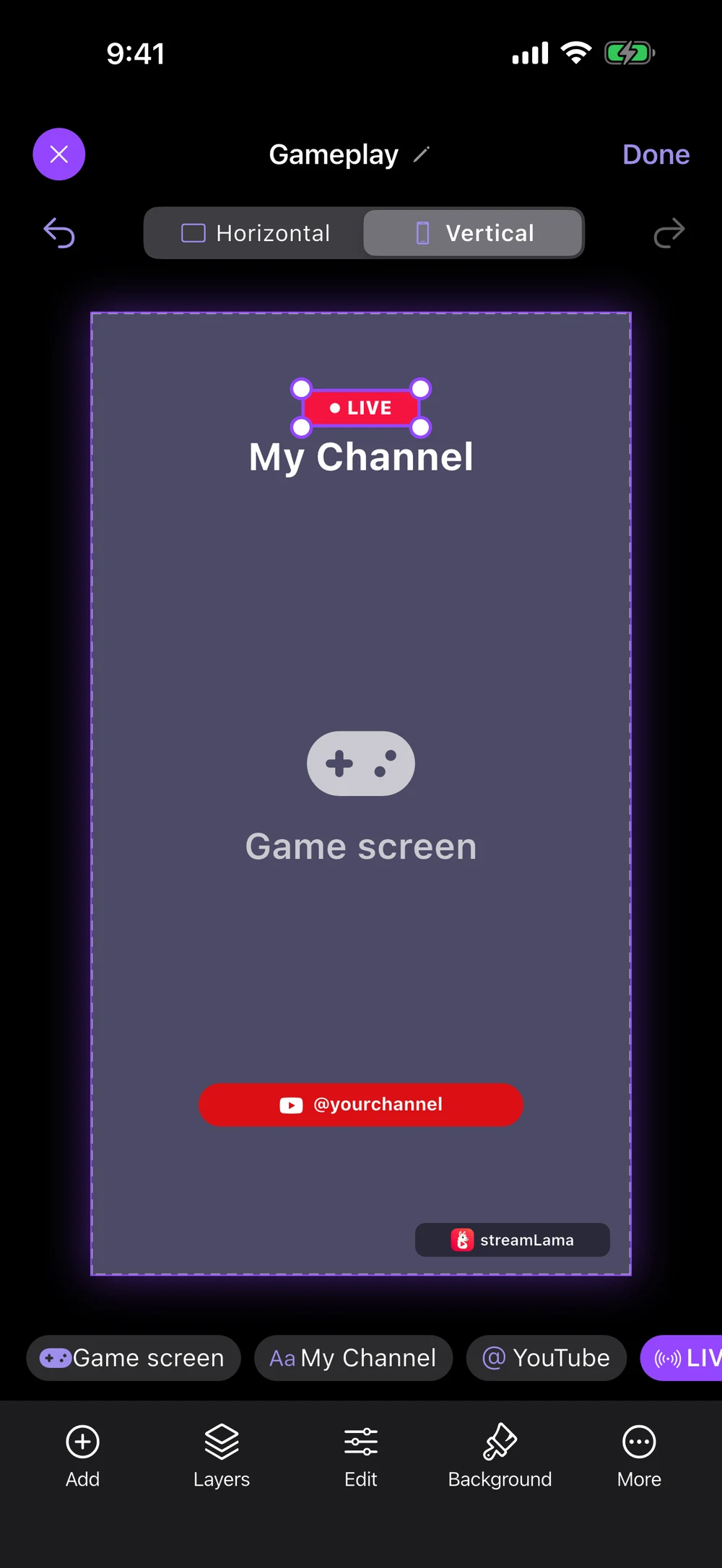
One scene, two layouts
Every scene has a landscape and a portrait layout. Pick vertical before you go live and your stream is shaped for viewers who watch on their phones, including the YouTube Shorts feed. The two layouts are independent, so each one can look its best.
 streamLama
Ranked grind
day 12, no losses yet
streamLamaWorks with the games you already play
streamLama streams your whole screen, so it works with nearly any game: battle royales, MOBAs, racing games, card games and cozy farming sims. On iPhone it uses Apple's screen broadcast feature, and on Android it uses the system screen capture with a notification you can stop from at any time. A few apps, mostly movie and TV services, block screen capture, and they appear black on stream. Game sound capture needs Android 10 or later; older Android phones stream the microphone only.
Output sizes
| Resolution | Horizontal | Vertical |
|---|---|---|
| 480p | 854 × 480 | 480 × 854 |
| 540p | 960 × 540 | 540 × 960 |
| 720p | 1280 × 720 | 720 × 1280 |
| 1080p (Pro) | 1920 × 1080 | 1080 × 1920 |
Built for phones that lose signal
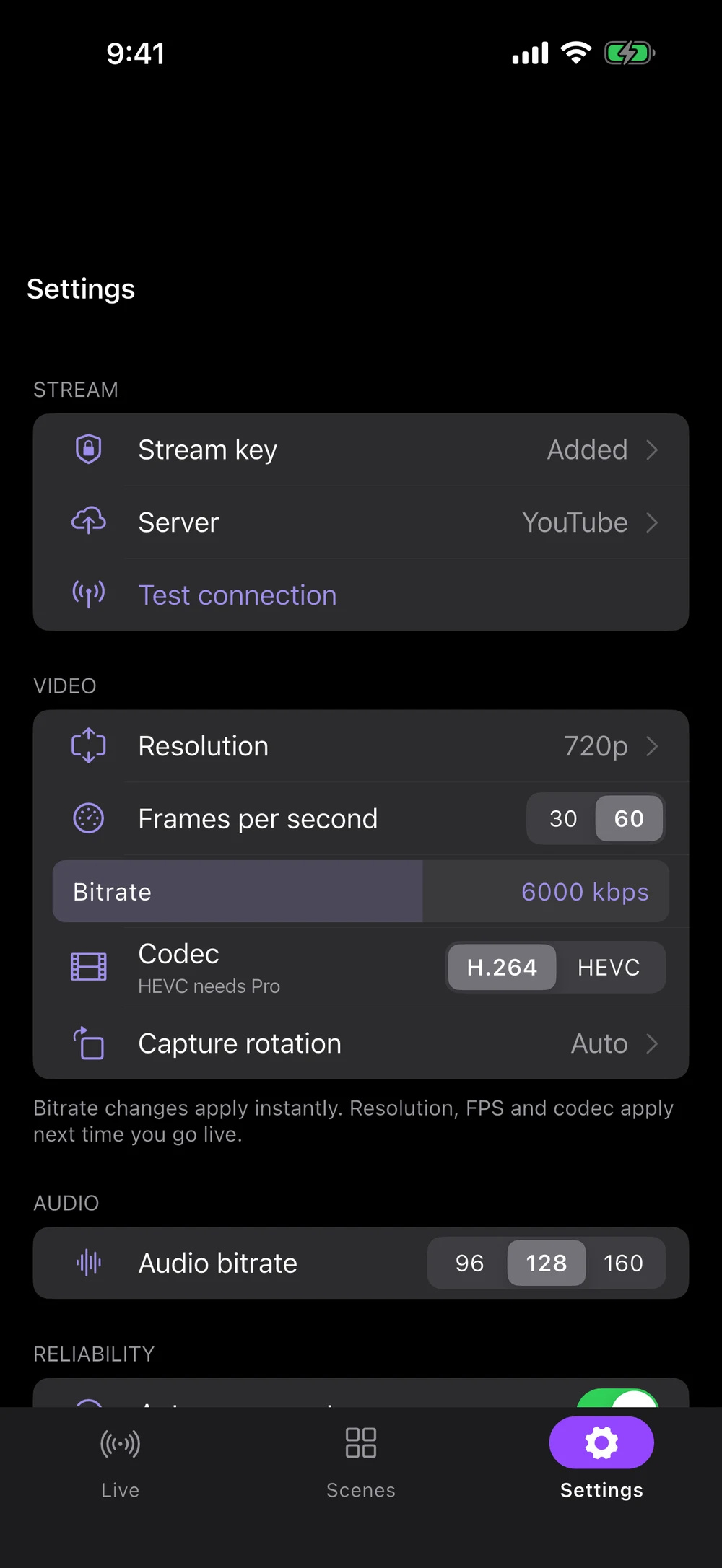
If your Wi-Fi or mobile data drops, streamLama keeps retrying for up to 50 seconds and switches between YouTube's primary and backup servers. If the stream cannot recover, you get a notification right away.
- Adaptive bitrateLowers quality briefly when your network struggles instead of freezing, and never drops below a watchable floor.
- You always knowThe Live screen shows when it is reconnecting, and a notification with sound tells you if the stream ends.
- Game sound and your voiceSeparate volume sliders for game audio and microphone, and one tap to mute the mic.
- Quality that makes sense480p, 540p, 720p or 1080p, 30 or 60 fps, your bitrate, sent to YouTube over encrypted RTMPS.
No account needed. Your key stays on your phone.
Paste a stream key and you are ready. Signing up is optional and only keeps Pro with you on every device. The app never asks for your YouTube password, and your video goes straight from your phone to YouTube.
- The key is saved in your phone's secure storage: the Keychain on iPhone and Keystore-backed encrypted storage on Android.
- It is only sent to YouTube's servers, or the server you saved with it, when you go live. streamLama has no servers that receive it.
- No ads, no analytics and no tracking. Purchases are handled by Apple or Google.
Free to stream, Pro when you want more
streamLama is free to download and free to stream with, with no time limit set by streamLama. Reliability features such as auto-reconnect and adaptive bitrate are included for everyone.
streamLama Pro is an optional in-app purchase, as a monthly or yearly subscription or a one-time lifetime unlock, through Apple or Google.
| What you get | Free | Pro |
|---|---|---|
| Scenes | 3 | Unlimited |
| Layers per layout | 3 | Unlimited |
| Maximum resolution | 720p | 1080p |
| Video codec | H.264 | H.264 or HEVC |
| streamLama watermark | Yes | Removable |
| Save a local MP4 recording | No | Yes |
| Horizontal and vertical layouts | Yes | Yes |
| Auto-reconnect and adaptive bitrate | Yes | Yes |
Questions before you go live
Read all frequently asked questionsYes. Downloading and streaming are free, including auto-reconnect, adaptive bitrate and both horizontal and vertical output. The free version allows 3 scenes, 3 layers per layout and up to 720p, and shows a small streamLama watermark. An optional in-app purchase unlocks streamLama Pro with unlimited scenes and layers, 1080p, HEVC, local recording and no watermark.
No. An account is optional: sign in with Apple, Google or email only if you want Pro to follow you to another device, and you can delete it in Settings at any time. You connect to your channel by pasting a YouTube stream key, which you copy once from YouTube Studio. streamLama never asks for your YouTube or Google password.
Yes. Every scene has a vertical 9:16 layout. Choose vertical before you go live and streamLama sends a portrait stream, which YouTube can show to viewers in the Shorts feed on mobile.
Almost any game, because streamLama captures your whole screen rather than hooking into a specific game. Some streaming video apps block screen capture to protect their content. Check each game's own rules about streaming gameplay.
With auto-reconnect on, streamLama retries for up to 50 seconds and alternates between YouTube's primary and backup servers. YouTube keeps the broadcast open for a short time after video stops, so short drops usually end with the stream continuing. If it cannot reconnect, you get a notification.
Ready for your first stream?
Get your stream key ready now so you can go live the moment the app is installed.